

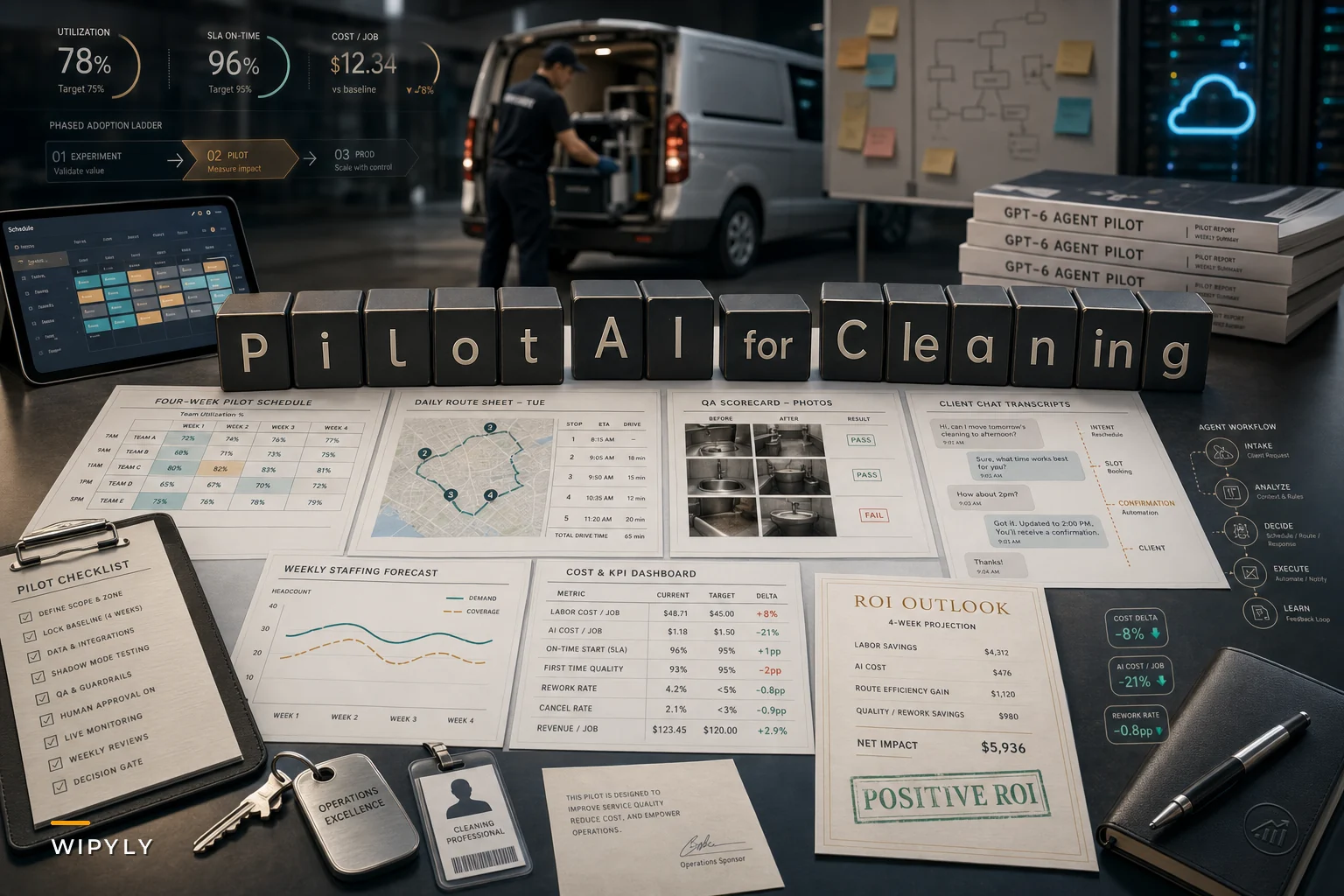

The pricing math on AI just changed in a way that actually matters for cleaning operators. OpenAI's DevDay in late September rolled out a new GPT‑6 lineup — Astra, Sol and Luna — along with always‑on "Dots" agents, and the headline most people missed was the cost drop. Reuters reported on the cheaper Sol and Luna models aimed at higher capability at lower per‑call pricing, and CNBC's DevDay recap covered the agent tooling that makes embedding this stuff into everyday business apps a lot less painful than it used to be.
For a cleaning business, that's not abstract. Features that were quietly too expensive a year ago — automated scheduling, photo‑based QA scoring, a booking agent that actually answers at 9pm — just crossed into "worth running a real pilot" territory. The problem is most operators will either ignore this completely or rush in, bolt AI onto a messy process, and then wonder why nothing improved.
This is a playbook for the middle path: run a tight, cheap pilot, measure it honestly, and keep control of your operation the whole way through.
Start with where the money actually leaks, not where the AI looks coolest
The mistake almost everyone makes is picking the feature that demos well instead of the one that fixes a real cost. A chat booking agent looks impressive. But if your actual bleed is rework and re‑visits, that agent does nothing for your margin.
In cleaning operations, the expensive problems tend to cluster in three spots: scheduling churn, quality rework, and staffing mismatches. Each one has a different AI fit, and each one has a different failure mode if you get it wrong.
Here's a rough way to think about where AI scheduling for cleaning businesses and its cousins actually pay off:
| Problem area | What it costs you | AI fit | Realistic payoff window |
|---|---|---|---|
| Last‑minute reschedules & route gaps | Idle crew time, overtime, missed SLAs | Auto‑scheduling + dynamic re‑sequencing | 6–10 weeks |
| Inconsistent QA / rework | Re‑visits, client complaints, lost renewals | Photo‑based QA scoring | 8–12 weeks |
| Over/under‑staffing | Overtime on one site, idle hands on another | Demand‑based staffing suggestions | 1–2 quarters |
| After‑hours booking drop‑off | Lost leads, slow quote response | Booking/chat agent | 4–8 weeks |
Scheduling and booking wins come fastest. That's not a coincidence — those are the areas where input data is cleanest and the "right answer" is easiest to verify. QA and staffing take longer because they depend on historical patterns and photo consistency that most operations haven't standardized yet.
Operators who start with a fast win tend to build internal credibility for the harder projects. The ones who jump straight to predictive staffing — the hardest to get right — usually burn out their team's patience before they see any real result.
Cheaper models don't automatically mean a cheaper project
The per‑call cost of the model is maybe 10–20% of the real cost of shipping an AI feature. The rest is your data, your integration, and your people. This is the part the DevDay headlines don't cover.
Stop losing bookings in operational chaos.
Wipyly helps you manage, confirm, and optimize every cleaning appointment efficiently.
- Centralized booking management
- Automated client notifications
- Staff scheduling & route optimization
No credit card required
A typical example: a mid‑size commercial cleaner wants automated scheduling. The model cost to run that across 300–400 jobs a month is almost trivially cheap now. But their job data lives in three places — a spreadsheet, a messaging thread, and the owner's head. The AI can only schedule as well as the data it reads. So before any model touches anything, somebody has to reconcile site names, service frequencies, crew skills, and realistic task times.
That's the real work, and it's where most pilots quietly fail. Cheaper models lowered the entry fee. They did nothing to lower the cost of showing up with clean data. If your scheduling inputs are inconsistent — one site called "Northgate Medical," another entry just "Northgate," travel times guessed rather than measured — you're going to get confident, fast, wrong schedules.
This connects directly to how you govern technology rollouts in general, which is why it's worth reading the deeper breakdown on technology adoption governance to capture ROI in cleaning businesses before you commit any budget. The short version: the governance work is what separates a pilot that sticks from one that gets abandoned after six weeks.
A pilot structure that doesn't blow up your operation
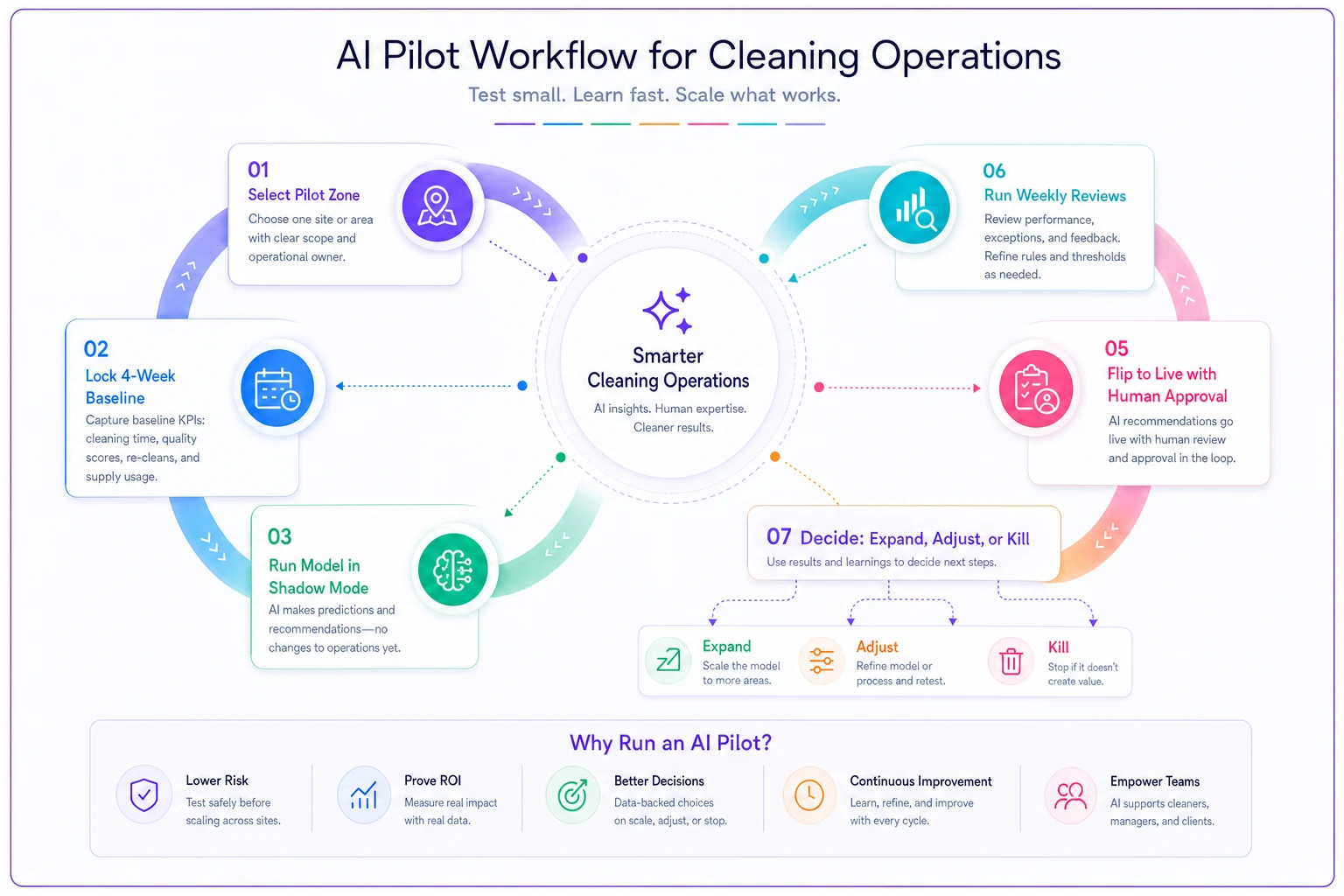
You don't pilot AI across your whole book of business. You carve off a slice small enough to recover from if it goes sideways, and big enough to produce a real signal.
-
Pick one zone or one account cluster. Ideally 8–15 sites with reasonably clean data and a crew lead who's open to new tools. Don't pick your most political account.
-
Lock your baseline for four weeks before you change anything. Measure current reschedule rate, crew idle time, rework frequency, and quote response time. If you can't measure it before, you can't prove improvement after.
-
Run the AI feature in "shadow mode" first. Let it generate schedules or QA scores alongside your existing process without acting on them. Compare its calls to your dispatcher's calls for two or three weeks. You learn where it's smart and where it's wrong before anything's at stake.
-
Flip it live on the pilot slice only. Keep a human approving the AI's output. Don't go fully hands‑off in the first live phase.
-
Review weekly against your baseline. Not vibes — the specific numbers you locked in step 2.
-
Decide
expand, adjust, or kill.
Set this decision date before you start so you don't drift into a permanent half‑pilot.
Run the shadow mode for two to three weeks to surface edge cases without risking live operations.
Here's the pilot sequence visually:
The shadow‑mode step gets skipped constantly, and it's the cheapest insurance you have. It costs almost nothing and surfaces the weird edge cases — the site that needs a key picked up from a neighbor, the crew member who can't do high‑rise windows — that no model knows about unless you've encoded it somewhere.
What photo QA actually requires before it works
Photo‑based QA scoring is one of the more genuinely useful things to come out of this generation of vision models — they got better and cheaper at the same time. But there's a trap: scoring crew photos is only useful if the photos are consistent.
In real operations, this breaks down fast. Every cleaner shoots the same restroom from a different angle, different lighting, half the time missing the spot that actually matters. Feed that into a scoring model and you get noise dressed up as a number.
-
A fixed shot list per site type — same angles, same fixtures, every visit
-
Consistent lighting and framing expectations the crew actually follows
-
Timestamps and site tagging that happen automatically, not manually
-
A small set of graded reference photos so the model has a standard to score against
-
A human spot‑check on roughly 10–15% of AI scores during the pilot to catch drift
Get those in place and the scoring becomes genuinely useful for catching quality drift early. Skip them and you've built an expensive way to generate arguments with your crew leads.
A real scenario
A regional janitorial company running around 20 vans was losing margin on reschedules. Their dispatcher spent most mornings re‑juggling routes by hand — sick calls, key access issues, clients bumping times. Idle crew time between jobs was eating somewhere around $3k–$4k a month in paid hours that produced nothing.
They ran a scheduling pilot on one zone, about 12 accounts. The first month was baseline only. The second month was shadow mode, during which they noticed the AI kept over‑tightening travel windows because their recorded drive times were optimistic. They fixed the travel data. Third month they ran it live with the dispatcher approving each day's plan.
By the end of the pilot, idle gap time on that zone dropped enough that the dispatcher got roughly an hour of his morning back and the crews hit their windows more consistently. The real unlock wasn't the model being clever. It was that fixing the travel‑time data to feed the AI also made the manual scheduling better. That's a common and underrated side effect — preparing data for an AI tool tends to improve the human process too.
They expanded to a second zone the following quarter and didn't roll it out everywhere at once. That restraint is part of why it worked.
When this makes sense — and when it doesn't
This makes sense when:
-
You have a recurring, measurable cost in scheduling, rework, or lead response
-
Your core data is clean enough, or you're willing to clean it first
-
You have one person who will own the pilot and the numbers
-
You can tolerate a human‑in‑the‑loop phase instead of demanding instant automation
This is a bad idea when:
-
Your scheduling lives entirely in people's heads and text messages with no system of record
-
You're hoping AI will fix a process problem you haven't actually defined
-
You can't commit someone to own it — a half‑owned pilot dies
-
You're planning to go fully autonomous on day one
Very small operations running three or four regular clients where the owner already schedules everything in fifteen minutes probably shouldn't bother yet. The overhead of setting up and governing an AI pilot won't pay back against a problem that small. Nail your data and process first; the tooling will still be there — and cheaper — when you've grown into it.
Keep a human on the controls
The "always‑on agent" framing from DevDay is exciting and slightly dangerous for a service business. An agent confirming bookings or nudging crews outside office hours is fine. An agent silently rescheduling a hospital's floor‑stripping without anyone reviewing it is how you lose an account.
Set explicit guardrails early: what the AI can do on its own, what it must flag for approval, and what it's never allowed to touch. Write it down. Make sure your crew leads know when they're looking at an AI suggestion versus a locked instruction. The operators who keep trust with their teams are the ones who are clear about where the machine stops and the human decides.
The bottom line
The DevDay pricing shift is real and it genuinely lowers the barrier to piloting AI in cleaning operations. But cheaper models reward operators who've done the unglamorous work — clean data, defined baselines, consistent photo standards, clear guardrails — and they quietly punish the ones who haven't. The technology got easier. The discipline of running a tight pilot didn't.
Pick one painful, measurable problem. Run a small pilot with a baseline, a shadow phase, and a decision date. Keep a person in the loop. Expand only what actually earns it. That's how you turn a pricing shift into margin instead of a subscription you forget to cancel.
Pick one painful, measurable problem. Run a small pilot with a baseline, a shadow phase, and a decision date. Keep a person in the loop. Expand only what actually earns it. That's how you turn a pricing shift into margin instead of a subscription you forget to cancel.
Ready to simplify your cleaning operations?
Join 1,000+ cleaning businesses using Wipyly to save time, reduce scheduling conflicts, and enhance client satisfaction.