

Most cleaning companies think they have photo evidence. What they actually have is a phone gallery full of blurry, undated, context-free images that mean nothing when a facilities manager emails at 4pm claiming the third-floor restrooms "were never touched last night."
That gap — between having photos and having usable photos — is where cleaning businesses lose SLA disputes they should have won. The crew did the work. The photos exist. And still you eat the credit, because nothing in those images proves what was cleaned, when, where, or by whom.
This is a fixable operational problem. It's not about buying fancier cameras or lecturing crews to "take more pictures." It's about building a photo evidence workflow that produces images that hold up in a billing dispute, an SLA audit, or a lost-contract review. Below is how the failures happen and how to lock the whole thing down.
The four ways cleaning photo evidence quietly fails
Disputes almost never come down to "we don't have a photo." They come down to one of these:
-
No location proof. You have a spotless mopped floor. The client says it's not their floor. Nothing in the image ties it to Site 4, Zone B, men's restroom.
-
No reliable timestamp. The photo's date got stripped when it was texted through a messaging app, or the phone's clock was wrong, or someone screenshotted it — screenshots erase original metadata entirely.
-
No "before" to anchor the "after." A crew fires off one glossy after-shot. Without a matching before, the client argues the area was already clean, or that the mess was minor, or that the shot is from a different visit.
-
No chain of custody. The photo lived on a personal phone, got forwarded twice, saved to someone's camera roll, then attached to an email a week later. By then you can't prove it wasn't edited, reused from another job, or taken on the wrong date.
Any one of these is enough for a facilities manager to reject your evidence. What tends to happen across commercial accounts is that the combination kills you — a client's procurement team only needs one weak link to void the whole claim.
Start with a shot-list, not a habit
The single biggest upgrade isn't technology. It's telling crews exactly which photos to take, in what order, at every site. Left to their own judgment, two cleaners on the same account will document completely different things, and neither set will match what the SLA actually measures.
Stop losing bookings in operational chaos.
Wipyly helps you manage, confirm, and optimize every cleaning appointment efficiently.
- Centralized booking management
- Automated client notifications
- Staff scheduling & route optimization
No credit card required
A shot-list is a fixed, per-site sequence of required images. It removes decision-making from the crew in the moment. Think of it like a pre-flight checklist — the point is that it happens the same way every single time, tired or not, rushed or not.
-
Wide entry shot — full room from the doorway (before)
-
Toilets/urinals — one frame per fixture bank (before)
-
Sinks and counters — including under-sink floor edge (before)
-
Floor corners — where buildup and mop-skips show first (before)
-
Restock state — paper, soap, liners (before)
-
Perform the clean
-
Repeat the same five angles (after), same order, same framing
The rule that matters most: before and after must be shot from the same position. A client can argue with a random after-photo. They cannot argue with a matched pair taken from the identical angle fifteen minutes apart.
Keep shot-lists short and role-specific — four to six per account, and each list under ten images so crews actually follow them.
Build a separate shot-list per area type — restrooms, kitchens and break rooms, entry glass, high-traffic floors, trash removal points. Most accounts only need four to six lists total. Keep each list short. A shot-list with 22 required images gets ignored by week two.
Metadata is the part everyone skips — and it's what wins disputes
A photo is an image plus the invisible data attached to it. That hidden layer — the metadata — is frequently what determines whether your evidence is usable or just a picture.
At minimum, every field photo should carry:
| Metadata field | Why it matters in a dispute |
|---|---|
| Timestamp (capture time) | Proves the work happened during the serviced window, not backfilled later |
| GPS coordinates | Ties the image to the physical site, not "some restroom somewhere" |
| Site / zone ID | Human-readable location matched to the SLA scope |
| Cleaner ID | Establishes who took it — the start of chain of custody |
| Task / checklist item | Links the photo to a specific SLA obligation |
| Before/After tag | Lets an auditor pair the images without guessing |
The trap: standard phone photos capture some of this, but it's fragile. GPS can be off if location services are disabled. The timestamp reflects the phone's clock, which crews change accidentally more often than you'd expect. And the moment a photo leaves the phone through text, WhatsApp, or a screenshot, most of that metadata is gone.
"We texted the photos to the office" is not an evidence system. By the time that image lands in a dispute email, it's a stripped, re-compressed copy with no verifiable origin. A sharp procurement manager knows this and will call it out.
The auto-timestamp rule that stops "the clock was wrong" arguments
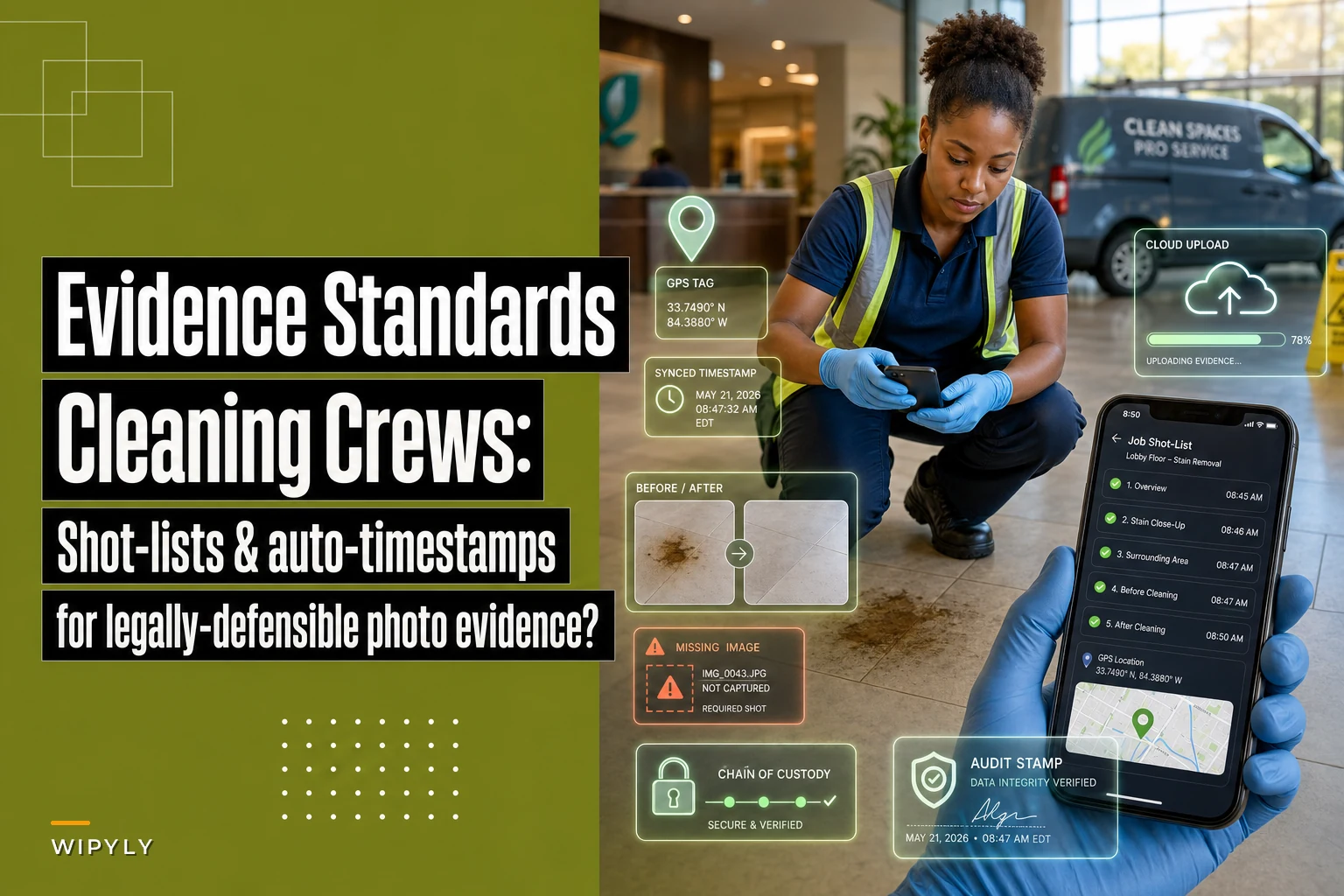
Manual timestamps — the kind a crew types into a caption or writes on a whiteboard in the shot — are worthless in an audit. Anyone can type any date. What holds up is a timestamp the crew cannot control, generated at the moment of capture and locked to the image.
-
Timestamp is captured automatically at the moment the photo is taken, not when it's uploaded or reviewed later.
-
The clock source is the network or server time, not the device clock. Device clocks drift and get changed. Server time doesn't.
-
The timestamp is burned onto the image and stored in metadata — visible watermark for quick human review, metadata for verifiable proof.
-
Timezone is recorded explicitly. Multi-site accounts across regions get burned by this. A photo that reads "11:40 PM" means nothing without knowing which timezone, especially near a service-window cutoff.
A concrete example: your SLA says restrooms must be serviced before 6:00 AM. A crew finishes at 5:52. If the timestamp is device-based and that phone's clock happens to run eight minutes fast, your own evidence now shows 6:00 — and you've handed the client a technicality. Server-synced auto-timestamps remove that entire category of self-inflicted losses.
Chain of custody: proving the photo wasn't touched
Chain of custody is a boring phrase for a simple idea — being able to show, from capture to storage, that a photo is the original and hasn't been swapped, edited, or reused from another job.
-
Photo is captured inside a controlled app or system, not the native camera roll first.
-
It uploads to central storage directly from capture, ideally without an editable intermediate copy sitting on someone's personal gallery.
-
Each image is tied to a specific job, site, and cleaner at the moment it's created — not tagged after the fact.
-
Originals are never overwritten. If someone crops or annotates, that's a new copy; the original stays intact.
-
Access to delete or modify stored photos is restricted to supervisors, and changes are logged.
The core principle: the fewer human hands and re-saves between the camera and your evidence archive, the stronger every photo becomes. Every forward, every screenshot, every "let me re-send that" weakens the chain.
Retention and storage: how long, and why it's not optional
Photos you can't produce six months later aren't evidence. And the way most small cleaning companies store images — on crew phones until they fill up and get wiped — means your evidence has a shelf life of about three weeks.
-
Active-dispute-window photos keep readily accessible for the full billing cycle plus the dispute period in your contract. If clients can challenge an invoice within 60 days, you need frictionless access to at least 90 days of images.
-
SLA-audit photos many commercial and national accounts run quarterly or annual reviews. Keep a full year minimum for any account with formal audits.
-
Contract-tenure baseline for accounts you want to renew, retaining the full relationship's photo history lets you demonstrate consistency over time — which is quietly one of the strongest renewal arguments you have.
A few storage rules that prevent nasty surprises:
-
Never rely on device storage as the system of record. Phones get lost, wiped, cracked, and replaced.
-
Store centrally with a consistent naming and tagging structure so a specific photo can be found by site, date, and area in under a minute. If retrieval takes twenty minutes of scrolling, you'll cave on disputes just to avoid the hassle.
-
Back it up. One copy is not a policy.
Set retention against your actual business risk.
Where the workflow breaks down in practice
Everything above can, in theory, be run manually. In practice, the manual version collapses because it depends on tired crews at 11pm remembering rules perfectly. The failure isn't discipline — it's that manual evidence workflows have too many places to leak.
``
PHOTO EVIDENCE WORKFLOW

[Crew Arrives On-Site]
        ↓
[Open Job in Field App — Shot-List Loads Automatically]
        ↓
[Capture Required Before Photos — GPS + Server Timestamp Auto-Attached]
        ↓
[Complete Service Tasks]
        ↓
[Capture Required After Photos — Same Angles, Same Order]
        ↓
[App Flags Any Missing Required Images Before Crew Can Close Job]
        ↓
[Photos Upload Directly to Central Storage — No Personal Gallery Copy]
        ↓
[Before/After Pairs Auto-Grouped by Task and Zone]
        ↓
[Job Evidence Archived — Tagged to Site, Cleaner, SLA Item, Date]
        ↓
[Available for Dispute Resolution or Audit in Under 2 Minutes]
``
Here's a simple visual of that flow.
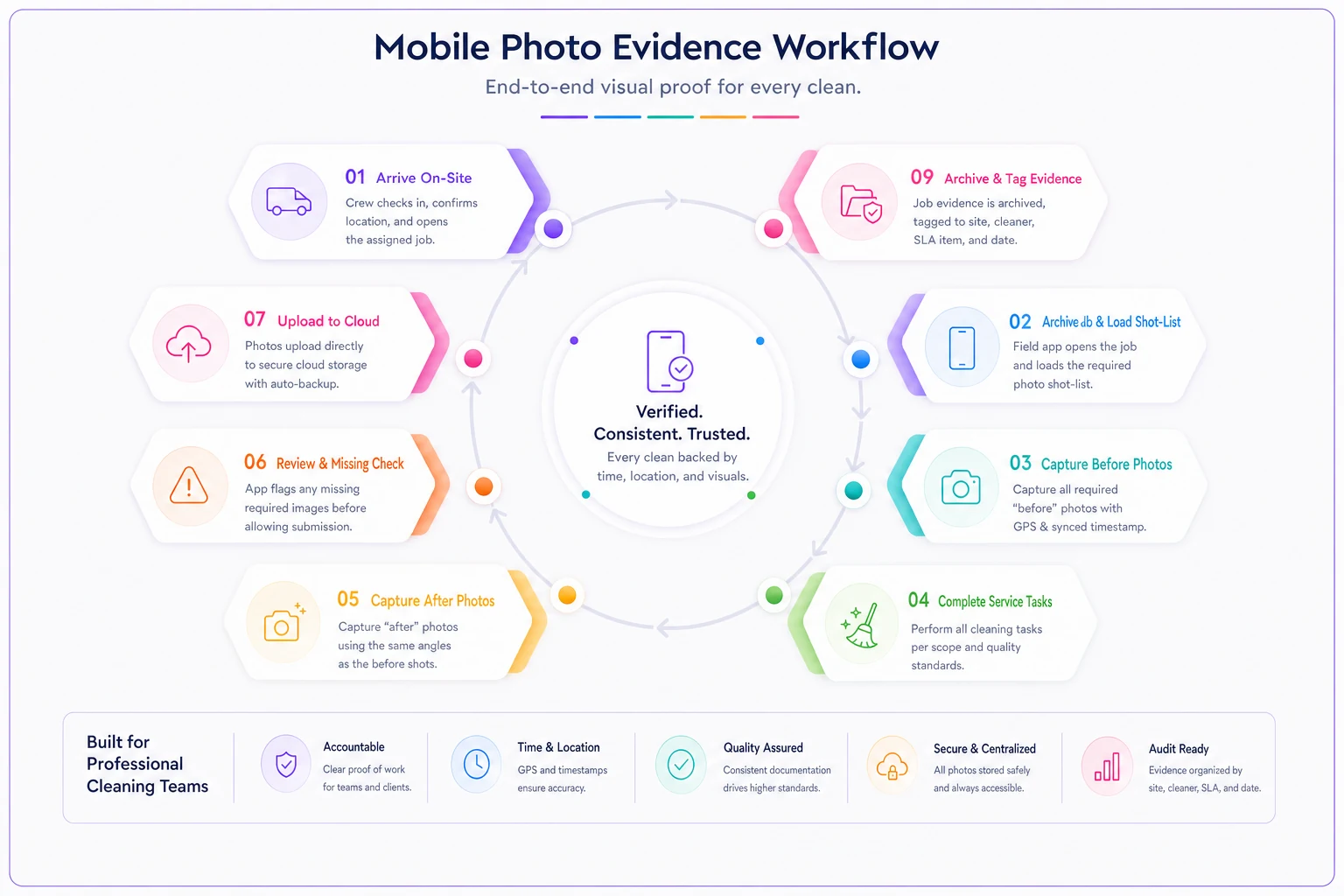
This is where AI-assisted operational software earns its place — not as a gimmick, but by removing the exact points where photo evidence normally fails. A field capture app that enforces the shot-list on screen, auto-attaches server timestamps and GPS, tags each image to the job and cleaner, and uploads straight to central storage eliminates most of the failure modes before they can happen. When photos flow into the same system that holds your SLA scope, an audit stops being a scramble through phone galleries and becomes a filtered search.
The lighter-touch automation matters too: flagging jobs where required shot-list images are missing before the crew leaves the site, catching photos that came in without valid metadata, and grouping before/after pairs automatically so a supervisor reviewing 40 sites isn't matching images by hand. None of that replaces good field standards — it just makes the standards actually stick across every crew, every night.
This connects directly to work you may already be doing. If you've built photo standards as part of fixing recurring quality problems — the approach in Fix recurring rework: an RCA playbook for cleaning teams with photo standards and a 30/60/90 tracker — the evidence workflow here is the enforcement layer that makes those standards hold up externally, not just internally. And when scope disputes turn into change-order conversations, the capture discipline in Prevent scope creep: an on-site change-order workflow with photo capture, pricing and client sign-off relies on the exact same metadata and chain-of-custody rules to make client sign-off stick.
When strict evidence standards make sense — and when they're overkill
Not every account needs the full treatment, and pretending otherwise just burns crew goodwill.
Worth the full workflow:
-
Commercial and national accounts with formal SLAs and audit rights
-
Any client with a history of invoice disputes or credit demands
-
High-liability areas — medical, food service, regulated facilities
-
Accounts where a single lost dispute costs more than a month of margin
Probably overkill:
-
Small residential one-offs with no recurring relationship
-
Low-value accounts where the dispute risk is near zero
-
Trusted long-term clients who've never once challenged a visit — though even here, a lighter shot-list protects you if the account changes hands
One thing worth saying plainly: don't roll this out by dumping a 25-image shot-list on crews with zero training. Over-engineered evidence rules that slow people down get quietly abandoned, and abandoned standards are worse than none — they create the appearance of coverage you don't actually have. Start with two or three critical areas, prove the workflow, then expand.
A real scenario
A mid-size janitorial company running roughly 40 commercial accounts kept losing the same fight: a national retail client would dispute two or three visits a month, demand credits, and the company had photos but couldn't prove site, time, or that images weren't reused from a previous visit. They were writing off somewhere around $1,800–$2,400 a quarter just to keep the account calm.
They rebuilt the workflow around three things: a fixed five-shot restroom-and-entry list, auto server-timestamps with GPS burned onto every image, and direct upload to central storage so nothing lived on personal phones. No new cameras, no big software overhaul at first — just enforced capture standards.
The next quarter, contested visits dropped to about one, and both were resolved in the company's favor within a day because they could pull matched before/after pairs with locked timestamps in a couple of minutes. Credit write-offs mostly went away. The part they didn't anticipate — the client's facilities manager started treating them as the reliable vendor precisely because the documentation was airtight. That reputation carried straight into the renewal conversation.
The takeaway
The difference between a cleaning company that wins disputes and one that quietly bleeds credits usually isn't the quality of the cleaning. It's whether the evidence can stand on its own without the crew standing next to it explaining what you're looking at.
Get the shot-lists fixed, lock the timestamps to something crews can't fudge, keep the chain of custody short, and store everything where you can actually find it. Do that consistently, and the next 4pm dispute email becomes a two-minute search instead of a negotiation you're already losing.
Ready to simplify your cleaning operations?
Join 1,000+ cleaning businesses using Wipyly to save time, reduce scheduling conflicts, and enhance client satisfaction.