


Most cleaning companies that hit a growth wall don't have a sales problem. They have an expansion problem. New logos are hard and expensive to win, so the fastest margin sits inside accounts you already service — the office building where you clean three floors and could clean six, the retail chain where you handle nightly janitorial but not the periodic floor care, the medical office where you could add restroom deep-sanitization on a separate frequency.
The catch is that expansion is where a lot of operators quietly torch their own delivery. You add a service line to an account, the crew that was already stretched absorbs the new scope, quality slips on the original work, and suddenly you've traded a clean renewal for a shaky one. The upsell that was supposed to grow the account ends up putting the whole thing at risk.
So the real question isn't "how do we sell more into existing accounts." It's "how do we grow an account without breaking the delivery that made the client trust us in the first place." That requires a stage-gated system — qualification signals up front, small pilots before full rollout, pricing bands that protect margin, and QA that catches drift before the client does.
Why commercial account expansion usually goes sideways
The pattern is almost always the same. A site supervisor mentions offhand that the client asked about window cleaning, or the account manager notices complaints about the break room. Someone says yes fast because saying yes feels like good service. There's no scoping, no re-timing of the route, no separate line item that reflects the added labor. The new work just gets stapled onto the existing contract.
Three or four weeks in, the cracks show. The crew is spending an extra 25–30 minutes per visit on unbilled or under-billed scope. To keep the visit inside the same window, they start cutting corners on the original tasks — the ones the SLA actually measures. Complaints come in on work the client used to be happy with. From the client's chair, service quality dropped right after you "helped" them. That's the worst possible signal heading into a renewal conversation.
What shows up repeatedly across a lot of portfolios is that expansion failures aren't caused by bad selling. They're caused by no gate between "client is interested" and "crew is now responsible for it." Interest turns into commitment with nothing in between to check whether the account, the route, and the margin can actually carry the new scope.
There's also a quieter failure: expanding the wrong accounts. Not every account is a good candidate, and pushing add-ons into a low-margin, high-complaint account just multiplies your exposure. You end up with more revenue tied to a client who was already one bad month away from leaving.
The stage-gate model, top to bottom
Think of expansion as a pipeline with hard gates. An account doesn't move to the next stage until it clears the one before it. This keeps you from bolting new scope onto accounts that can't support it, and it keeps your crews from becoming the shock absorber for undisciplined selling.
Stop losing bookings in operational chaos.
Wipyly helps you manage, confirm, and optimize every cleaning appointment efficiently.
- Centralized booking management
- Automated client notifications
- Staff scheduling & route optimization
No credit card required
-
Qualification — is this account even a candidate for expansion?
-
Signal validation — is the client actually showing buying signals, or are we guessing?
-
Pilot — run the add-on small and time-boxed before committing.
-
Pricing and contract — price the add-on in its own band, not blended into the base.
-
Rollout — schedule, staff, and re-time the route around the new scope.
-
Post-expansion QA — confirm the original SLA still holds, not just the new work.
Each gate has a simple pass/fail. If an account fails a gate, it doesn't get killed — it goes back a step or waits. Nothing moves forward on vibes.
Here's a simple visual of the stage-gate pipeline and decision points.
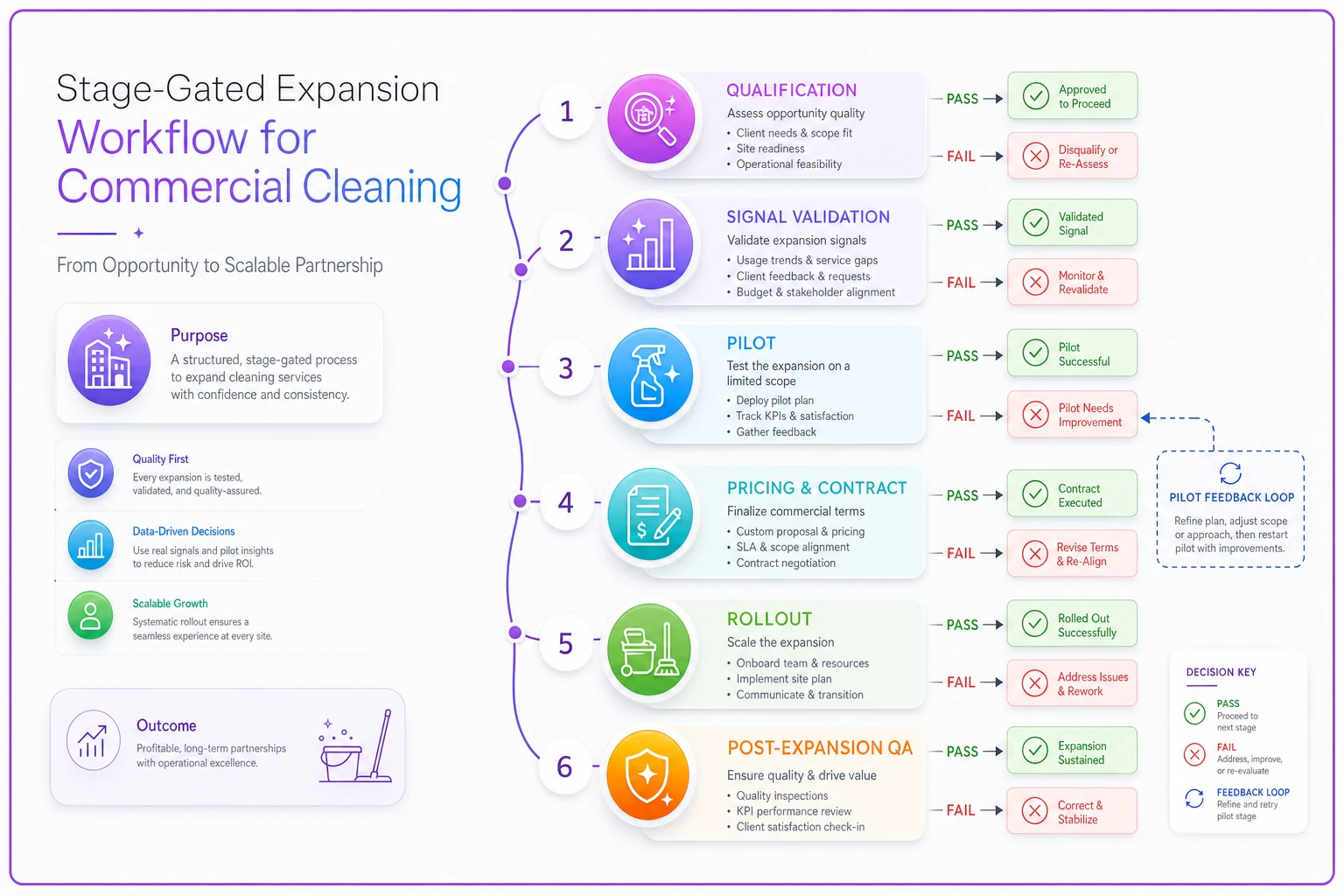
A compact view helps teams see where accounts stall and where pilots feed back into pricing and rollout decisions.
Gate 1: Qualification signals worth acting on
Before you talk about add-ons, the base relationship has to be healthy enough to build on. Expanding an account that's already fragile is how you turn a small problem into a lost contract.
-
Clean delivery history. The current SLA is being hit consistently — not "mostly," but reliably over the last two or three months.
-
Low complaint volume, or complaints that got resolved cleanly. How an account behaves after a problem tells you more than whether it's had problems.
-
Healthy margin on the base contract. If you're barely making money on the core work, adding scope at the same margin logic just scales a weak account.
-
Paying on time. Slow-pay accounts are a bad place to add exposure.
-
A stable point of contact who has budget authority or a direct line to it.
That last one gets underrated. Plenty of "expansion opportunities" die because the person expressing interest can't approve spend and won't champion it internally. You spend weeks scoping something that was never going to get signed.
A useful filter: run a quick account-health read before any expansion conversation. If the base account wouldn't score well on your own audit and renewal-trigger process, fix the base before you expand it. A shaky foundation doesn't get stronger by adding floors.
Gate 2: Reading real buying signals vs. polite interest
There's a meaningful difference between a client who's genuinely ready to add scope and one who's just being agreeable when your account manager asks "anything else we can help with?"
-
The client is paying someone else for a service adjacent to yours — a separate window vendor, a separate floor-care contractor. That fragmentation is a concrete opening.
-
Repeated requests for the same off-scope task — the same "can your crew also grab the break room?" three visits in a row.
-
A facility change — a new floor, an expanded footprint, a new tenant, a compliance requirement — that creates real new need.
-
Budget-cycle timing where the client is actively planning next-year spend.
Polite interest, by contrast, is a single offhand comment with no follow-up and no budget attached. The mistake operators make is treating both signals the same and pouring scoping effort into something that was never real.
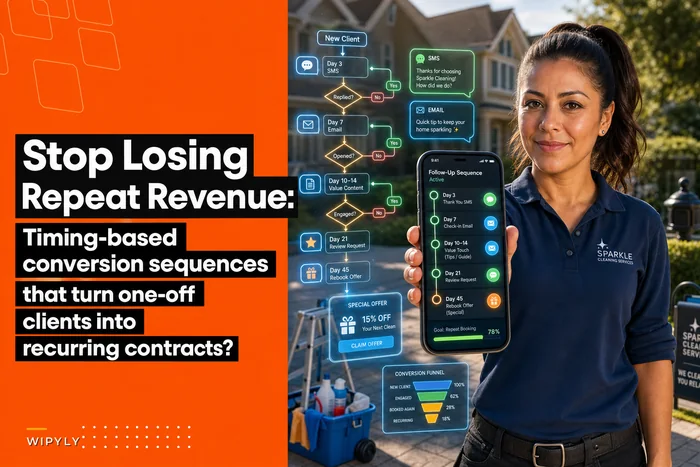
For accounts that started as occasional work and are showing steady adjacent requests, the same discipline you'd use to convert them applies here — the timing-based conversion sequences that turn one-off clients into recurring contracts logic works just as well for turning a single-service commercial account into a multi-service one. You're watching for the moment need and budget line up, then moving deliberately.
Gate 3: Pilot add-ons before you commit the route
This is the gate most operators skip, and it's the one that saves accounts. Instead of rolling a new service line into the contract permanently, run it as a time-boxed pilot — four to six visits — priced as a trial or short-term add.
The pilot does two jobs at once. It shows the client the value with real evidence, and it shows you the true labor cost before you've locked a price. A window-cleaning add-on that looked like 20 minutes on paper might actually eat 40 once you factor in setup and access. Better to learn that across six pilot visits than across a twelve-month contract you've already underpriced.
During a pilot, log added minutes and consumables per visit to build the permanent pricing band from real data.
-
Restroom deep-sanitization on a separate frequency (weekly deep vs. nightly maintenance)
-
Break room / kitchen detail on a set cadence
-
Periodic floor care (buff, burnish, strip-and-wax) as a scheduled add
-
Interior glass and partition cleaning
-
High-touch disinfection passes for medical or shared-office space
During the pilot, track the actual added time per visit and the actual added consumables. Those two numbers are what your pricing band gets built on. Don't price the permanent add-on until the pilot data is in.
When a pilot is a bad idea: if the base account is already running behind or has open quality issues, don't pilot anything. You'll just accelerate the drift. Fix delivery first.
Gate 4: Pricing bands that protect margin
Blending an add-on into the base contract price is one of the most expensive habits in this business. You lose visibility into what each service line actually earns, and when costs move — labor, consumables, fuel — you can't tell which part of the account is bleeding.
Price add-ons in defined bands based on complexity and how they slot into the existing visit:
| Band | Add-on type | Margin target | Contract note |
|---|---|---|---|
| A — Low friction | Fits inside existing visit window, minimal setup (break room detail, glass) | Base margin +5–8 pts | Priced as small monthly line item |
| B — Moderate | Needs extra time on-site but same crew (restroom deep-clean, disinfection passes) | Base margin +8–12 pts | Separate line, separate frequency |
| C — Periodic / specialized | Different equipment or skill (floor strip-and-wax, high-access glass) | Base margin +12–18 pts | Standalone scheduled service, priced per event |
The logic: the more the add-on disrupts the existing route and the more specialized the labor, the higher the margin needs to be to justify the coordination cost. Band C work carries more margin precisely because it's harder to schedule and staff, and because clients rarely price-shop that work line by line.
Keep every add-on as its own line item on the invoice and in your P&L. It gives the client transparency, which reduces billing disputes. And it lets you run account-level profitability with real granularity — you can see that base janitorial is running thin while the floor-care add-on is carrying the account, and make actual decisions instead of guessing.
One caveat: if you're expanding to lock in a strategic multi-site logo and you've made a deliberate call to run one service line lean, that's fine — but decide that on purpose and document it. Don't let it happen by accident because nobody priced the add-on separately.
Gate 5: Rollout — the part crews actually feel
An approved, priced add-on still isn't real until the route and staffing absorb it without cracking. This is where expansion quietly breaks delivery if you're not deliberate.
-
Re-time the visit. Take the actual added minutes from the pilot and rebuild the visit schedule around them. If the add-on adds 30 minutes and the crew was already at the edge of their window, you either extend the window, add labor, or resequence — you don't hope they'll fit it in.
-
Re-staff if needed. Some add-ons need a second person or a specialist. Decide that before go-live, not after the first missed SLA.
-
Update the SOP and the checklist. The new scope has to appear in whatever your crew works from, with a clear standard. Undocumented add-ons are the fastest path to inconsistent delivery — half the crew does it one way and half doesn't do it at all.
-
Set the QA baseline for both old and new work. You're not just checking that the new service gets done — you're confirming the original SLA still holds now that the visit is heavier.
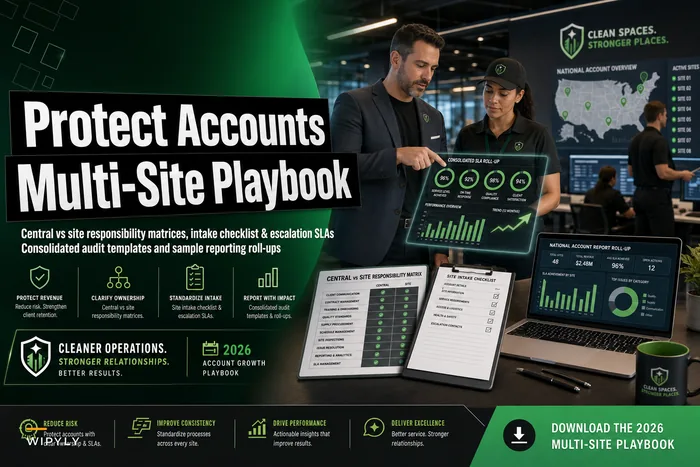
For accounts with multiple sites, expansion coordination gets an order of magnitude harder. An add-on approved at the account level has to roll out consistently across locations that don't all look the same. The central-vs-site discipline in a proper multi-site account playbook with responsibility matrices and consolidated SLA roll-ups is what keeps a portfolio-wide add-on from becoming forty slightly different versions of the same service.
Gate 6: Post-expansion QA to protect the SLA you already had
Here's the failure that costs accounts: everyone watches the new service closely because it's new, and nobody watches the original work — which is exactly where drift shows up. The crew's time got tighter, so base tasks get rushed, and three weeks later the client is unhappy about something they used to be fine with.
-
Weeks 1–2 after go-live verify both the new scope and the original SLA tasks on every QA check. Don't let the base work go unobserved because it's not the new thing.
-
Weeks 3–4 compare original-task quality scores against the pre-expansion baseline. If base scores dropped, the add-on is stealing time — go back to Gate 5 and re-time or re-staff.
-
Week 6+ confirm the account is stable across both service lines before you treat the expansion as permanent revenue in your forecast.
The trigger rule that matters: if base SLA quality drops after an add-on, the add-on is the suspect until proven otherwise. Most operators investigate the crew. The real cause is usually that the visit got heavier and nobody rebalanced the workload.
This connects directly to how you manage the account across its whole life — expansion isn't a one-off event, it's a phase in the relationship with its own handoffs and checkpoints. Folding it into your broader operational client lifecycle with templates, SLA handoffs and renewal triggers means an add-on rollout has a defined owner and a defined checkpoint instead of floating around as "something we added that one time."
A real scenario: office-park janitorial adds floor care
A mid-sized operator servicing an office park — nightly janitorial across a few buildings, roughly $9k–$11k monthly — kept getting asked about deteriorating hard floors in the lobbies. Old instinct would've been to say yes and squeeze it into the nightly crew's window.
Instead they ran it through the gates. Qualification passed: clean SLA history, on-time payment, a facilities contact with actual budget. The signal was real — the client had already gotten a quote from a separate floor-care vendor, which is about as concrete as a buying signal gets.
They piloted quarterly floor care as a standalone Band C service across two buildings first. The pilot showed the real labor was higher than anyone had estimated — a strip-and-wax on the larger lobby took a two-person crew a full evening, not the half-shift someone had assumed. Because it was piloted, they caught that before pricing it permanently.
Priced as a standalone periodic service rather than blended into the nightly rate, the floor care added roughly $1,400–$1,800 per quarter at a margin noticeably better than the base janitorial. And because it ran on a separate crew and schedule, the nightly SLA never moved — post-expansion QA on the base work stayed flat. The account grew without a single dip in the delivery that had earned the relationship.
Contrast that with the version where they said yes on the spot: nightly crew absorbs the floor work, base quality slips, lobby floors get done inconsistently, and the renewal conversation opens with the client listing complaints.
When account expansion actually makes sense — and when it doesn't
Expansion is the cheapest revenue you'll ever get if the account can carry it. It's the most expensive revenue you'll ever get if it can't.
-
The base SLA is being hit reliably and margin is healthy
-
There's a real, budgeted buying signal — not polite interest
-
The add-on can be piloted and priced separately
-
You have the staffing or scheduling slack to absorb it without cannibalizing the base
-
The base account has open quality or complaint issues
-
The client is slow-paying — adding scope to a payment risk just deepens the exposure
-
The crew is already at the edge of its window with no slack
-
Nobody can price the add-on separately, so you'd be blending margin blind
Who should not expand aggressively yet: operators who don't have QA discipline on their current accounts. If you can't reliably confirm base SLA performance today, you have no way to detect the drift that expansion causes — and you'll only find out you broke an account when the client tells you at renewal.
Commercial account expansion works when you treat it as a controlled operational process, not a series of quick yeses. The gates — qualify the account, validate the signal, pilot small, price in bands, roll out deliberately, and QA both old and new work — exist to keep growth from eating the delivery underneath it.
The operators who scale their portfolios without losing accounts aren't the ones who sell the hardest. They're the ones who never let an add-on onto a crew's plate before the account, the route, the price, and the QA were all ready to carry it. Grow the account, protect the SLA, and keep the margin visible line by line. That's the difference between expansion that compounds and expansion that quietly costs you the client you started with.
Ready to simplify your cleaning operations?
Join 1,000+ cleaning businesses using Wipyly to save time, reduce scheduling conflicts, and enhance client satisfaction.